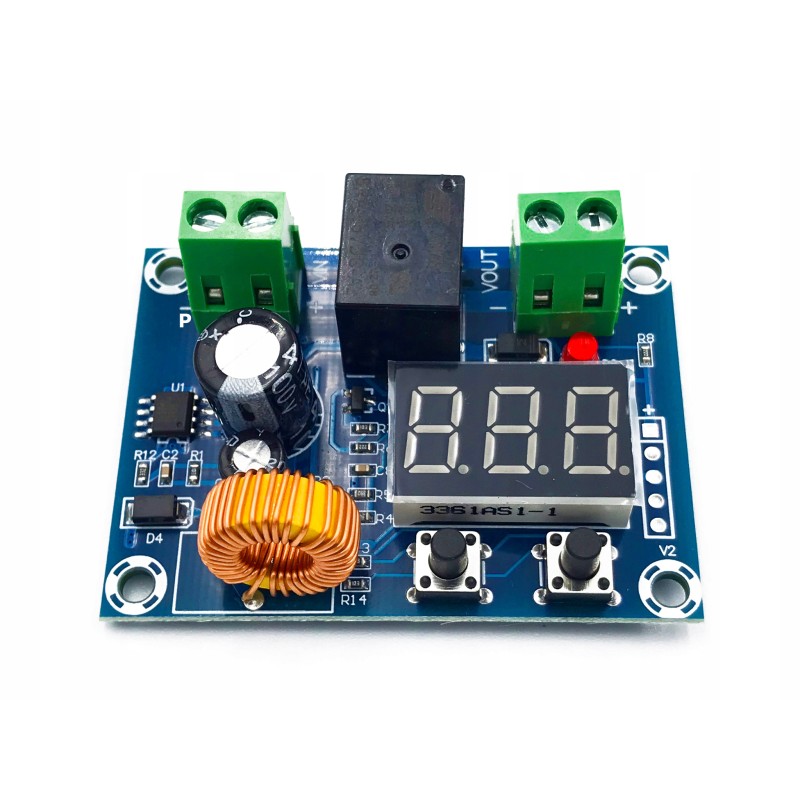
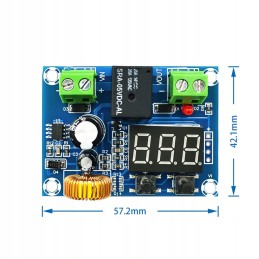
Deep battery discharge protection module. Operating range: 12V - 36V DC
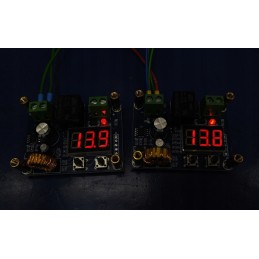
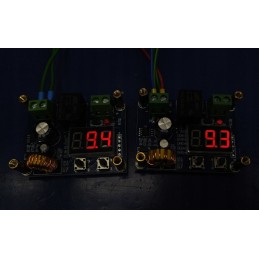
The display shows the current voltage
Accuracy: approx. 100mV
Power: approx. 1W
Max. load 10A (relay contacts)
The module is available in 3 versions. The modules are packed in seals, I don't want to open them to check the microprocessor programming version. That's why I'm describing all of them.
Recently, I most often receive the version with 4 options, which I describe below as the first one.
1. Version with 4 options
OPERATION - WITH (+) and (-) KEYS
Option 1 - Press (double click) the micro switch (+)(LEFT) 2 times until the display dot starts flashing. Then, use the (+) and (-) KEYS TO SET THE LOWER VOLTAGE VALUE AT WHICH THE MODULE WILL DISCONNECT THE RECEIVER. - it will be saved automatically after a few seconds of no activity.
Option 2 - press and hold the micro switch (+)(LEFT) until the display starts flashing. Then, use the (+) and (-) KEYS TO SET THE DELAY IN MINUTES AFTER WHICH THE MODULE WILL DISCONNECT THE RECEIVER. - it will be saved automatically after a few seconds of no activity.
Option 3 - press (double click) the microswitch (-)(RIGHT) twice until the DOT TOGETHER WITH THE HYSTERESIS VALUE starts flashing (hysteresis is the difference between the lower [off] and upper [on] voltage values). Then, use the (+) and (-) KEYS TO SET THE HYSTERESIS VALUE - it will be saved automatically after a few seconds of no action.
Option 4 - press and hold the (-)(RIGHT) microswitch until the display starts flashing. Then, use the (+) and (-) KEYS TO SET THE VOLTAGE VALUE TO BE THE SAME AS ON THE EXTERNAL METER [CALIBRATION] - it will be saved automatically after a few seconds of no action.
Example :
The lower voltage described in option 1 was set to 11 V
The hysteresis in option 2 was set to 2 V
This means that the system will disconnect the receiver at 11 V and turn it on again at 13 V.
Additionally, please remember that if the switch-on voltage (option 3) is set above the current voltage (e.g. 12V), only when the upper voltage is reached (set - in the example discussed is 13V) will the module be switched on for the first time (red LED is lit). To turn it on immediately, set the upper voltage below the current one and change it to the target voltage after turning it on. Subsequent connections and disconnections will occur according to the settings.
2. Double click version (2 options)
OPERATION - WITH (+) and (-) KEYS
Option 1 - Press (double click) the micro switch (+)(LEFT) 2 times until the display dot starts flashing. Then, use the (+) and (-) KEYS TO SET THE LOWER VOLTAGE VALUE AT WHICH THE MODULE WILL DISCONNECT THE RECEIVER. - it will be saved automatically after a few seconds of no activity.
Option 2 - press (double click) the microswitch (-)(RIGHT) twice until the DOT TOGETHER WITH THE HYSTERESIS VALUE starts flashing (hysteresis is the difference between the lower [off] and upper [on] voltage values). Then, use the (+) and (-) KEYS TO SET THE HYSTERESIS VALUE - it will be saved automatically after a few seconds of no action.
Example :
The lower voltage described in option 1 was set to 11 V
The hysteresis in option 2 was set to 2 V
This means that the system will disconnect the receiver at 11 V and turn it on again at 13 V.
Additionally, please remember that if the switch-on voltage (option 2) is set above the current voltage (e.g. 12V), only when the upper voltage is reached (set - in the discussed example 13V) will the module be switched on for the first time (red LED is lit). To turn it on immediately, set the upper voltage below the current one and change it to the target voltage after turning it on. Subsequent connections and disconnections will occur according to the settings.
3. Version with holding the button down (2 options)
OPERATION - WITH (+) and (-) KEYS
Option 1 - press and hold the micro switch (+)(LEFT) until the display dot starts flashing. Then, use the (+) and (-) KEYS TO SET THE LOWER VOLTAGE VALUE AT WHICH THE MODULE WILL DISCONNECT THE RECEIVER. - it will be saved automatically after a few seconds of no activity.
Option 2 - press and hold the (-)(RIGHT) microswitch for a longer time until the DOT ALONG WITH THE HYSTERESIS VALUE starts flashing (hysteresis is the difference between the lower [off] and upper [on] voltage values). Then, use the (+) and (-) KEYS TO SET THE HYSTERESIS VALUE - it will be saved automatically after a few seconds of no action.
Example :
The lower voltage described in option 1 was set to 11 V
The hysteresis in option 2 was set to 2 V
This means that the system will disconnect the receiver at 11 V and turn it on again at 13 V.
Additionally, please remember that if the switch-on voltage (option 2) is set above the current voltage (e.g. 12V), only when the upper voltage is reached (set - in the discussed example 13V) will the module be switched on for the first time (red LED is lit). To turn it on immediately, set the upper voltage below the current one and change it to the target voltage after turning it on. Subsequent connections and disconnections will occur according to the settings.